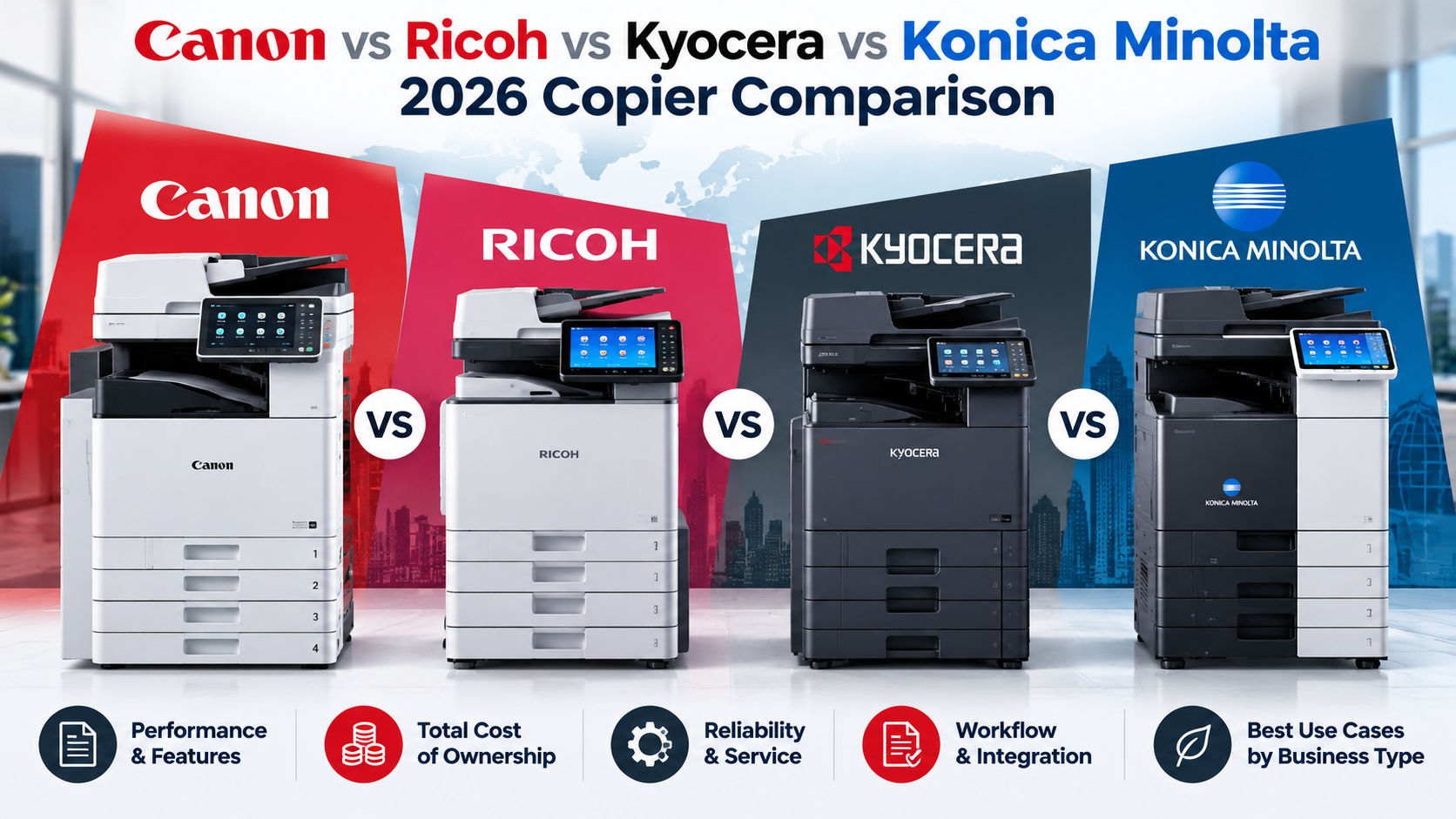
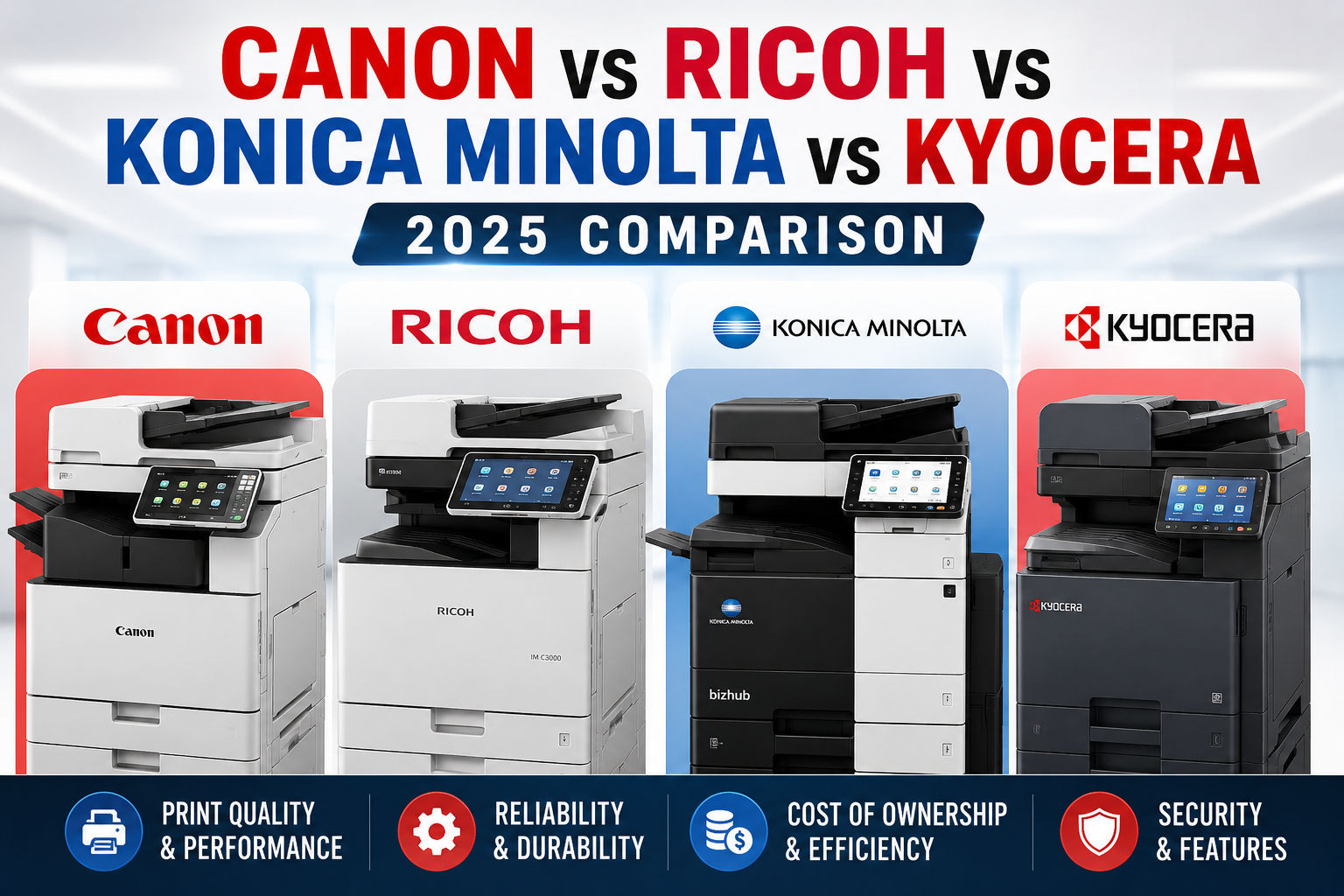
Canon vs Ricoh vs Konica Minolta vs Kyocera: The Honest 2025 Copier Brand Comparison
Bhakti Enterprises Team
Office Equipment Specialists
Key takeaways
- Kyocera has the lowest 5-year TCO at $4,092 vs Canon's $4,839 at 4,000 pages per month — an 18% difference in independent gapTCO testing
- Kyocera ceramic drums last 300,000–600,000 pages; typical competitor drums last 30,000 — the core reason for Kyocera's TCO advantage
- Konica Minolta bizhub i-Series has the lowest colour cost per page at 4.2c and the best built-in finishing (booklet, tri-fold) of all four brands
- Ricoh IM series leads on cloud and hybrid work integration — smoothest native support for Microsoft 365, SharePoint, and Google Workspace
- Canon imageRUNNER ADVANCE DX produces the best colour output quality of the four brands — the right choice when colour accuracy is a brand requirement
- Over five years at 250,000 pages per year, Konica Minolta saves approximately $14,000 in TCO compared to Canon imageRUNNER at comparable colour volume
- Businesses comparing multiple dealer quotes reduce total copier spend by 15–30% regardless of brand — always get at least three quotes
Table of contents
If you have ever tried to choose between Canon, Ricoh, Konica Minolta, and Kyocera for your office, you already know the problem: every manufacturer's website says their machine is the best, every dealer pushes whichever brand earns them the highest margin, and most comparison articles online were written by someone who has never actually used the equipment. This guide is different. We break down all four brands across the dimensions that actually matter to a business — total cost of ownership over five years, print quality, workflow software, reliability, and which type of organisation each brand genuinely suits. No brand sponsorship. No vague platitudes. Just an honest, research-backed assessment so you can make a confident decision.
How to use this guide
Jump to any brand using the table of contents. Each section covers what the brand genuinely does well, where it falls short, real-world TCO data, and which business profile it suits. The comparison table and decision flowchart are at the end.
Why Brand Choice Matters More Than Most Businesses Realise
The machine you sign a lease for today is the machine your team will use for the next three to five years. Over that period, the differences between Canon, Ricoh, Konica Minolta, and Kyocera compound in ways that are invisible on day one but very visible on your P&L by year three. Cost per page differences of just half a cent add up to thousands of dollars annually at moderate print volumes. Service response time gaps between dealers mean some businesses lose productive hours each month while others have a replacement unit at their door within four hours. Software ecosystems that seem interchangeable in a demo feel completely different when your IT team is trying to integrate scan workflows with Microsoft 365 or a document management system. The right brand is not the most popular brand — it is the one that most closely matches your volume, workflow, budget, and support requirements.
$4,092
Kyocera 5-yr TCO (4K pages/mo)
Source: gapTCO independent analysis
$4,277
Ricoh 5-yr TCO (4K pages/mo)
Source: gapTCO independent analysis
$4,839
Canon 5-yr TCO (4K pages/mo)
Source: gapTCO independent analysis
$14k+
Konica Minolta savings vs Canon (high volume)
250K pages/yr over 5 years
Canon imageRUNNER: The Colour Quality and Digitisation Leader
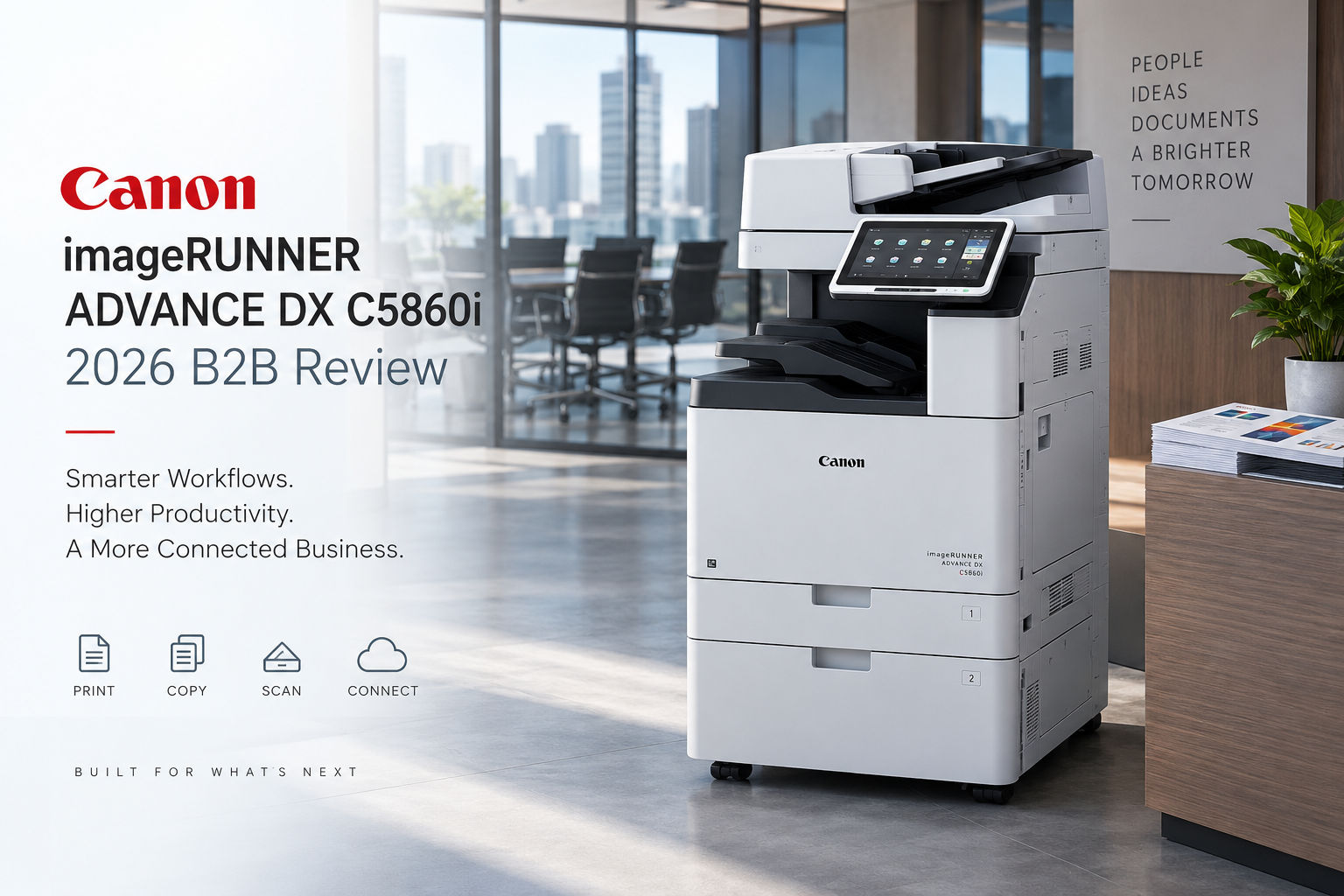
Canon's imageRUNNER ADVANCE DX series has earned its place as the go-to machine in environments where colour accuracy and document digitisation quality are non-negotiable. Law firms producing client-facing branded documents, marketing agencies running light in-house production, and corporate communications teams that cannot tolerate the washed-out colour reproduction common on lower-tier machines — these are Canon's natural home. The 10.1-inch touchscreen interface is genuinely more intuitive than anything Ricoh or Kyocera ships at the equivalent price point, which matters in high-turnover office environments where training time is costly. Canon's uniFLOW software for print management and job accounting is also among the most mature in the market, integrating cleanly with Active Directory, Microsoft 365, and custom workflow automation.
- Best-in-class colour reproduction — imaging technology rivals professional print shops at office machine price points
- uniFLOW print management is the most mature job accounting and secure release software available on any platform
- 10.1-inch intuitive touchscreen reduces staff training time significantly compared to competitors
- Excellent ADF scanning speeds — imageRUNNER ADVANCE DX 527iFZ reaches 200 images per minute duplex
- Largest toner yield of the four brands compared — 51,500 page toner yield reduces swap frequency
- Strong cloud workflow integration: Canon imageWARE handles variable data printing directly from mobile devices
- Robust paper handling minimises jams — lower day-to-day maintenance call frequency than industry average
- Highest cost per page (CPP) of the four brands at mid-to-high volumes — adds up fast beyond 150,000 pages per month
- Advanced finishing capabilities (booklet making, tri-fold, stapling) require costly add-on units and additional floor space
- Five-year TCO of $4,839 versus Kyocera's $4,092 at 4,000 pages per month in independent testing — roughly 18% more expensive over the lease term
- Dealer network quality varies significantly outside major cities — verify local service response times before committing
Canon is the right call if:
Your business produces client-facing printed materials where colour accuracy directly affects brand perception. Legal, financial services, marketing, architecture, and corporate communications teams consistently rate Canon imageRUNNER above all competitors for output quality.
Ricoh IM Series: The Hybrid Workplace and Cloud Integration Specialist
Ricoh has made a clear strategic bet on the hybrid work era, and it shows in the IM series. Where Canon wins on output quality and Kyocera wins on cost per page, Ricoh wins on making distributed teams actually functional around a shared document infrastructure. The smart operation panel feels like a tablet — not in a marketing-speak way, but in a genuinely immediately-usable way that casual office users can navigate without ever reading a manual. Regular over-the-air firmware updates keep Ricoh machines current with evolving cloud services, which is more than can be said for most competitors. For businesses running Microsoft 365, Google Workspace, or any cloud-based document management system, Ricoh's integration layer is the smoothest available. The IM C3010 and IM C6010 are particularly strong choices for mid-volume colour environments where total print cost and cloud connectivity both matter.
- Best cloud and hybrid work integration — seamless with Microsoft 365, Google Workspace, SharePoint, and major DMS platforms
- Smart operation panel with customisable workflows reduces repetitive task friction for frequent users
- Regular OTA firmware updates ensure the machine stays compatible with evolving cloud services throughout the lease
- Strong balance between colour quality and cost per page — 4.8c colour CPP competitive for mid-volume environments
- Equitrac integration for cost-per-page tracking across multi-device fleets — strong for multi-branch businesses
- Dual-sided scanning at 100ipm black and 62ipm colour — well above average for the class
- 99% uptime rating with predictive maintenance alerts via SNMP for high-volume IM Pro C9200X configurations
- Over 8,000 authorised dealers in the US alone — strong parts and service availability
- Toner yield per cartridge (25,500 pages on IM 550F) is the lowest of the four brands compared — more frequent toner replacements
- Monthly lease rates of $100–$300 for medium-to-large configurations are slightly higher than Kyocera equivalents
- For pure colour accuracy on marketing-grade output, Canon imageRUNNER edges Ricoh IM in most independent print quality tests
Ricoh is the right call if:
Your team is distributed across multiple locations or works a hybrid schedule, and your priority is a machine that works frictionlessly with your cloud document stack. Professional services firms, consulting businesses, and any office running a distributed team with shared document workflows will find Ricoh IM the easiest to actually live with day-to-day.
Konica Minolta bizhub: The Finishing and Output Versatility Champion
Konica Minolta occupies a specific and valuable niche: businesses that need a machine capable of producing genuinely professional output — thick stock, booklets, complex finishing — without purchasing a dedicated production printer. The bizhub i-Series (C251i, C301i, C361i) ships with tri-fold and booklet-making capabilities built in, not as expensive add-ons. It handles media up to 350gsm, which means business cards, thick brochures, and presentation materials that would jam or look mediocre on other office machines are well within capability. The Dispatcher Phoenix workflow software and Equitrac cost tracking integration are strong, and dual-sided scanning at up to 240 images per minute is the fastest of all four brands in this comparison. Over a five-year period at high volumes, Konica Minolta's 4.2c colour cost per page — versus Ricoh's 4.8c and Canon's higher figure — produces measurable savings. For a business printing 250,000 pages per year with a colour mix, independent analysis puts Konica Minolta TCO savings versus Canon at approximately $14,000 over five years.
- Best built-in finishing capabilities — tri-fold and booklet making included, not sold as costly add-ons
- Handles media up to 350gsm — thick stock, brochures, business cards, premium marketing materials without outsourcing
- Fastest duplex scanning of all four brands at up to 240 images per minute on the bizhub i-Series
- Lowest colour cost per page among the four (4.2c) — meaningful savings at high colour volume
- Dispatcher Phoenix cloud workflow software with Equitrac integration for detailed cost tracking across devices
- Compact design relative to feature set — high-end finishing without the floor footprint of production machines
- Approximately $14,000 lower five-year TCO versus Canon imageRUNNER at 250,000 pages per year colour workload
- Premium feature set commands a premium purchase or lease price — not the right choice for simple copy-print-scan requirements
- Dispatcher Phoenix has a steeper IT setup curve than Canon uniFLOW or Ricoh's smart panel for initial configuration
- Service network density thinner than Canon or Ricoh in some international markets — verify local dealer capability
Konica Minolta is the right call if:
You regularly produce professionally finished documents in-house — proposals, reports, marketing brochures, bound presentations — and you want to eliminate the cost and delay of outsourcing to a print shop. Creative agencies, architectural firms, professional services businesses, and corporate marketing departments consistently shortlist Konica Minolta for exactly this reason.
Kyocera TASKalfa and ECOSYS: The Total Cost of Ownership Winner
Kyocera's entire brand proposition is built on one idea: you should not have to replace expensive components as often as every other brand requires. The patented Amorphous Silicon ceramic drum at the core of every TASKalfa and ECOSYS machine is rated to last between 300,000 and 600,000 pages — compared to 30,000 pages for a typical competitor drum unit. That is not a marginal improvement; it is a fundamental design difference that compresses ongoing maintenance costs over the entire lease or ownership period in a way that no amount of toner price negotiation can match with other brands. Independent gapTCO analysis puts Kyocera's five-year total cost at $4,091 versus Canon's $4,839 at 4,000 pages per month — and the gap widens as volume increases. Businesses comparing Kyocera lease rates ($80–$250 per month) against Ricoh ($100–$300 per month) for equivalent configurations consistently find 15–30% lower total spend over a 60-month term.
- Lowest five-year TCO of all four brands — $4,091 versus Canon's $4,839 at 4,000 pages per month in independent testing
- Ceramic drum lasts 300,000–600,000 pages versus 30,000 for typical competitor drums — dramatically fewer consumable replacements
- 15–30% lower total lease cost compared to Ricoh and Canon at equivalent monthly volumes
- ECOSYS series delivers some of the lowest cost per page in class, especially for high-volume monochrome environments
- Strong environmental credentials — long-life components, waste-free toner technology, low energy consumption
- TASKalfa 3554ci vs bizhub C360i comparisons give Kyocera the edge on operating cost and first-copy speed
- Excellent document handling and scanning performance for administrative-heavy workflows
- Colour output quality — while solid and improving — does not match Canon imageRUNNER for graphic-intensive client-facing materials
- Workflow software (Kyocera Cloud Connect) is less mature than Canon uniFLOW or Ricoh's smart panel ecosystem
- Best value realised at higher monthly volumes — for very low-volume offices the drum longevity advantage is less impactful in practice
Kyocera is the right call if:
Your primary brief is minimising total cost over the lease term, and your document output is predominantly monochrome or standard colour without premium finishing requirements. High-volume office environments, logistics companies, educational institutions, and any cost-conscious business running 10,000+ pages per month will find Kyocera consistently saves more money over three to five years than any other brand.
Head-to-Head: The Four Brands Compared
Comparison across six business-critical dimensions. 'Best' indicates category leader based on independent data.
| Dimension | Canon imageRUNNER | Ricoh IM | Konica Minolta bizhub | Kyocera TASKalfa |
|---|---|---|---|---|
| 5-yr TCO (4K pg/mo) | $4,839 | $4,277 | Competitive | $4,092 ✓ Best |
| Colour CPP | Highest | 4.8c | 4.2c ✓ Best | Competitive |
| Colour output quality | ✓ Best | Strong | Very strong | Good |
| Finishing capability | Add-ons required | Add-ons required | ✓ Best (built-in) | Standard |
| Cloud / hybrid work | Strong | ✓ Best | Strong | Improving |
| Drum / consumable life | Standard | Standard | Standard | ✓ Best (600K pages) |
How to Choose: A Simple Decision Framework
Six Questions to Ask Any Dealer Before You Sign
- What is your guaranteed on-site response time for a breakdown call, and is there a financial penalty in the contract if you miss it?
- Is this service contract comprehensive (parts and labour) or labour only — and what specific parts are excluded?
- Do you provide a temporary replacement machine if mine needs to go offsite for repair?
- What is the cost per page for both monochrome and colour under this contract, and does that rate change if I exceed the monthly page cap?
- Can I see the full five-year TCO calculation for this specific model at my actual monthly volume, in writing?
- What happens to the contract terms if I need to upgrade to a higher-capacity model mid-lease?
The cheapest monthly payment is almost never the cheapest machine. A $30 per month difference in lease cost can be entirely reversed by a $0.003 per page difference in cost per page at 15,000 pages per month — that is $540 per year in consumables alone, before you account for service call frequency differences.
The Verdict
None of these four brands is objectively the best. They are each genuinely the best for a specific type of business. Canon imageRUNNER is the clearest choice when colour quality is a competitive differentiator for your business. Ricoh IM is the clearest choice when hybrid teams and cloud workflow integration are your operational priority. Konica Minolta bizhub is the clearest choice when professional finishing and premium output versatility matter more than rock-bottom CPP. Kyocera TASKalfa is the clearest choice when minimising total cost of ownership over the lease term is your primary objective — and that is a priority for more businesses than admit it upfront. The decision framework and comparison table in this guide should get you to a shortlist of two brands within fifteen minutes. From there, the quality of the local dealer and the specifics of their service contract will determine which one you actually sign.
Sources & references
- [1]gapTCO CPC Comparison of Four A4 Workgroup B&W MFPs
The Imaging Channel (2021)
- [2]Canon vs Ricoh vs Konica Minolta: Commercial Copier Reviews Compared
Commercial Copy Machine (2025)
- [3]Kyocera Copier Prices and Lease Cost 2026
Office Copier Solutions (2026)
- [4]Kyocera TASKalfa vs Canon imageRUNNER: Best Copier 2025
Automated Business Technologies (2026)
- [5]Canon vs Kyocera vs HP: Which Multifunction Copier is Right for Your Business?
Columbia Business Systems (2026)