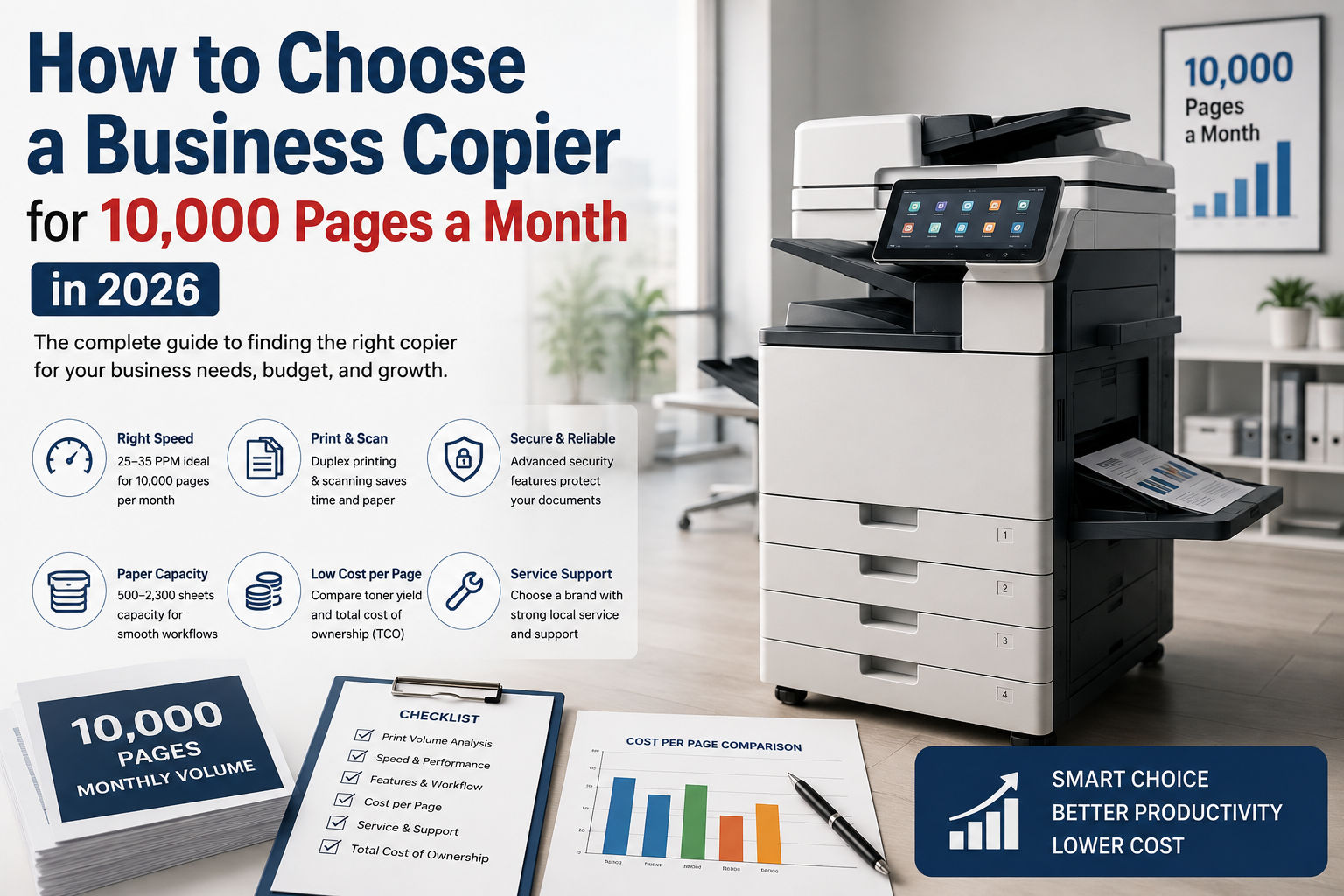
How to Choose a Business Copier for 10,000 Pages a Month in 2026
Bhakti Enterprises
Key takeaways
- 1) A 10,000-page monthly workload normally suits a 25–35 ppm business multifunction copier.
- 2) Calculate actual monthly volume from print logs rather than estimating from employee headcount.
- 3) Automatic duplex printing and scanning can materially reduce paper use and scanning time.
- 4) Compare 3-year TCO, including toner, drums, service, parts, installation and downtime.
- 5) In the UAE, Canon, Ricoh, Konica Minolta and Xerox are established brands worth evaluating alongside local service capability.
- 6) Before signing, obtain written pricing for the machine, consumables, service SLA and expected cost per page.
Table of contents
Choose the right copier for 10,000 monthly pages. Compare speed, features, TCO, service and capacity before buying.
10,000 pages per month is enough volume to justify moving beyond a basic desktop printer, but it does not automatically mean you need a 50 - 60 ppm production-class machine. This guide is for SMEs, professional offices and departments in the UAE that need reliable daily printing, copying and scanning. It explains how to size the machine, evaluate speed and features, calculate total cost of ownership, compare brands and verify service terms before placing a purchase order.
Before You Start: 3 Key Questions
1) Is your actual monthly volume close to 10,000 pages, and how much of it is colour, A3 and duplex? 2) Do you need high-volume scanning, secure print, finishing or document-management integration? 3) Is your priority the lowest purchase price, the lowest cost per page or predictable 3-year operating cost?
1. Size the Copier Around Your Real Monthly Volume
At 10,000 pages per month, volume should be the first specification you settle - not print speed. If the office operates approximately 22 working days per month, 10,000 pages equals roughly 455 pages per working day. That is a substantial workload, but it is still within the practical range of a mid-range departmental multifunction copier. For most SMEs, a 25–35 ppm machine is a sensible starting point. A 26 ppm colour MFP such as the Canon imageRUNNER ADVANCE DX C3926i, for example, is positioned for business/workgroup use and supports print, copy and scan functions. Current UAE listings show configurations with automatic duplex printing, high-speed duplex scanning and expandable paper capacity. Do not size the machine solely by its advertised maximum duty cycle. Instead, ask the supplier for the manufacturer's recommended monthly volume, expected consumable replacement intervals and service requirements at your actual workload. If the office frequently experiences peaks of 15,000–20,000 pages, choose a higher class of machine rather than buying a 10,000-page machine with no headroom.
2. Choose the Right Print Speed and Paper Capacity
Print speed matters most when several employees send jobs to the same machine. At 10,000 pages per month, the question is not simply whether a copier can produce 10,000 pages. It is whether employees can complete normal print jobs without queues becoming a productivity problem. A 25 - 35 ppm machine can produce a standard 50-page document in roughly 1.5 - 2 minutes once the device is warmed up and processing the job. Actual performance varies by document complexity, colour coverage, finishing and paper size. For most SMEs, jumping from 26 ppm to 50 ppm is unnecessary unless there are concentrated printing periods or multiple departments share one device. Paper capacity also matters. A machine with only a small standard tray can force employees to reload paper repeatedly. Look for at least two main paper cassettes plus a multipurpose tray, with optional expansion where required. If the business uses A3, letterhead, envelopes or heavier stock, confirm that these media are supported before purchasing. CHECK: 1) Target 25 - 35 ppm for a typical 10,000-page monthly workload. 2) Confirm A4 and A3 speeds separately if A3 is required. 3) Check standard and maximum paper capacity - not maximum capacity alone. 4) Confirm supported paper weights, sizes, envelopes and specialty media.
3. Prioritise Scanning, Duplex and Workflow Features
A modern business copier should not be evaluated as a printer alone. At 10,000 pages per month, scanning and document workflow can have as much operational value as print speed. For offices handling contracts, invoices, applications, employee files or customer records, automatic duplex scanning can significantly reduce manual document handling. A single-pass document feeder is particularly useful when employees regularly scan double-sided documents. The Canon imageRUNNER ADVANCE DX C3926i, for example, is listed with duplex scanning of up to 270 ipm in certain configurations, alongside network, cloud and mobile-printing capabilities. Security should also be treated as a core requirement. Look for user authentication, secure print release, encrypted storage and encrypted network communication. This is especially important when multiple employees share one machine and documents may contain contracts, financial information, customer records or commercially sensitive material. CHECK: 1) Require automatic duplex printing as a standard feature. 2) Choose a single-pass or high-speed duplex feeder if scanning is frequent. 3) Verify secure print, user authentication and encrypted storage capabilities. 4) Test scan-to-email, scan-to-folder and cloud/document-management workflows before purchase.
4. Calculate Total Cost of Ownership, Not Just Purchase Price
The cheapest copier is rarely the cheapest copier to operate. For a 10,000-page monthly workload, calculate the expected three-year total cost of ownership before comparing supplier quotations. Your calculation should include the machine price, installation, toner, drums, waste containers, fuser and other consumables, service charges, spare parts, paper, electricity and expected downtime. Most importantly, ask suppliers to provide an estimated cost per black-and-white page and colour page at your actual monthly volume. Current UAE market listings illustrate why purchase-price comparisons need context. A Canon imageRUNNER ADVANCE DX C3926i is currently listed by UAE sellers at approximately AED 13,649 and AED 20,125 respectively, with configuration and seller differences affecting the final price. Do not compare AED 14,000 and AED 18,000 machines simply by their initial price. If the higher-priced machine has significantly better toner yields, lower service costs, faster scanning and stronger local support, its three-year cost may be lower. CHECK: 1) Request separate black-and-white and colour cost-per-page figures. 2) Calculate expected toner consumption at 10,000 pages/month. 3) Include drums, fusers, maintenance kits and service labour in the TCO. 4) Compare at least a 36-month operating-cost scenario before choosing.
5. Evaluate Service Support Before Choosing the Brand
At 10,000 pages per month, reliability and service response can be more valuable than a small difference in purchase price. A copier that stops working for two business days can create more cost than the original price difference between two competing machines. Canon, Ricoh, Konica Minolta and Xerox all have established business-MFP product families, but brand recognition alone is not enough. The critical question is whether the supplier can support your exact model in your location. Ask for the service-level agreement in writing. It should specify response time, expected resolution time, preventive maintenance, parts availability, loaner/replacement arrangements and escalation procedures. Also confirm whether genuine consumables are included and whether third-party consumables affect warranty coverage. For UAE buyers, service geography matters. A supplier that promises "UAE-wide support" should identify the actual service coverage for Dubai, Abu Dhabi, Sharjah and other locations relevant to your operation. CHECK: 1) Ask for the guaranteed engineer response time in writing. 2) Confirm local availability of toner, drums, fusers and critical spare parts. 3) Verify whether preventive maintenance is included in the contract. 4) Ask for references from businesses operating at a similar monthly volume.
"SME copier buyer profile guide 2026"
| Office Size | Monthly Volume | Recommended Type | Brands to Consider |
|---|---|---|---|
| Small SME | Under 5,000 pages | 20 - 30 ppm A4/A3 MFP | Canon, Ricoh, Brother |
| Medium SME | 5,000–30,000 pages | 25 - 40 ppm business A3 MFP | Canon, Ricoh, Konica Minolta, Xerox |
| Large SME / Department | Over 30,000 pages | 40 - 60+ ppm departmental MFP | Canon, Ricoh, Konica Minolta, Xerox |
"Our Recommendation for SMEs Printing 10,000 Pages"
For a typical UAE SME printing around 10,000 pages per month, our starting recommendation is the Canon imageRUNNER ADVANCE DX C3926i class: a 26 ppm colour multifunction platform with print, copy and scan capabilities, duplex workflow and security features. It provides useful headroom without unnecessarily moving into a higher-speed departmental class. Current UAE listings show it as an actively sold model, although final configuration and pricing should be confirmed before purchase. Pre-Purchase Checklist for SMEs Printing 10,000 Pages CHECK: 1) Confirm the last 3–6 months' actual print volume from the machine counter or print-management software. 2) Obtain separate black-and-white and colour cost-per-page quotations at 10,000 pages/month. 3) Confirm whether the quoted machine includes the required automatic document feeder, duplex and paper trays. 4) Verify the exact model number, voltage, region specification and warranty coverage on the purchase order. 5) Test scan-to-email, scan-to-folder, secure print and network authentication before final acceptance. 6) Obtain written service response and resolution commitments. 7) Confirm the price and yield of replacement toner, drums and other major consumables. 8) Request a 36-month TCO comparison covering purchase, lease/rental and managed-print options.